Introduction
You can get everything Facebook knows about you, including your photos, by downloading your Facebook data. This guide will show you how to do that and prepare your photos for uploading to pic.ie.
An export of your Facebook data can be quite large , especially if you've been using Facebook for many years and have uploaded a lot of photos. The export process can take some time. Once you request your data, Facebook will prepare it and send you a download link when it's ready. This can take anywhere from a few minutes to several hours, depending on the size of your data.
Step 1 - Request your data
To start the process, visit this section on Facebook: https://www.facebook.com/dyi.
The "Download Your Information" page is where you can request a copy of your data. You may be prompted to log in to your Facebook account if you're not already logged in.
It is a part of Facebook that is constantly evolving and changing but hopefully these instructions will get you to the right place.
Step 2 - Choose where to export
You can choose to either have Facebook automatically transfer your data to one of these storage accounts:
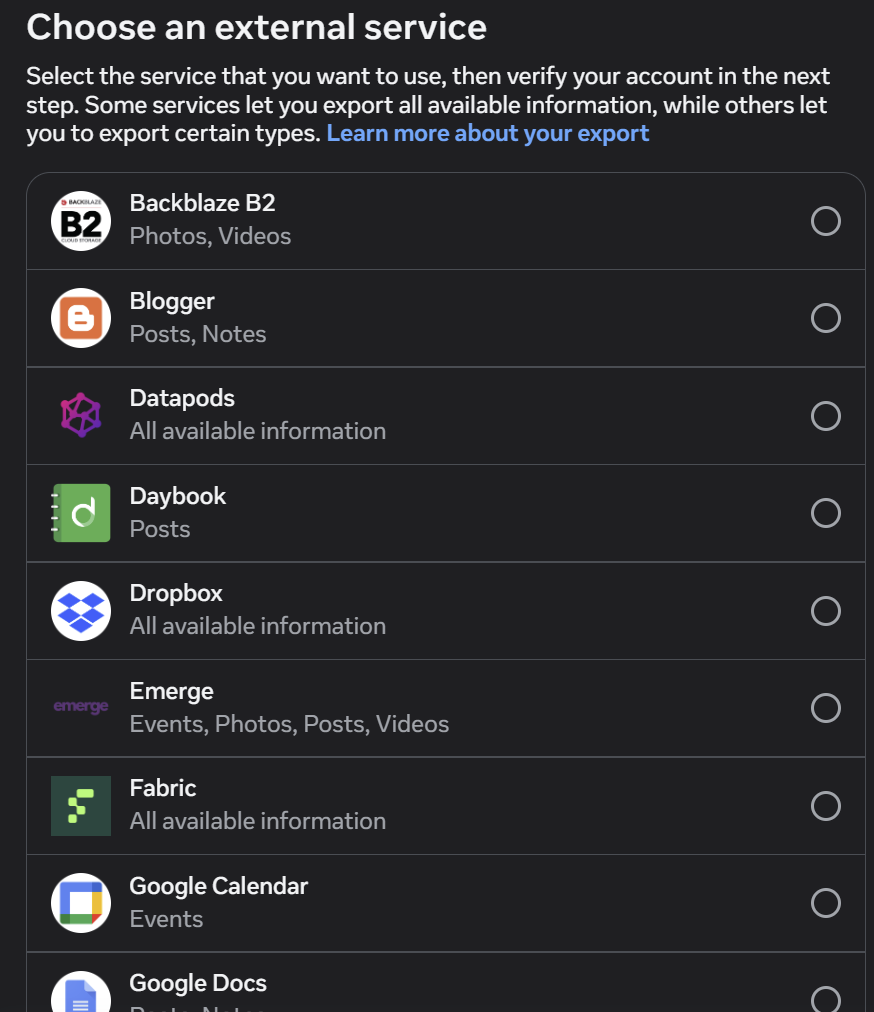
or prepare it so that you can download it to your computer
Step 3 - Change Date Range and Image Quality
Whichever option you choose, look out for this page of options:
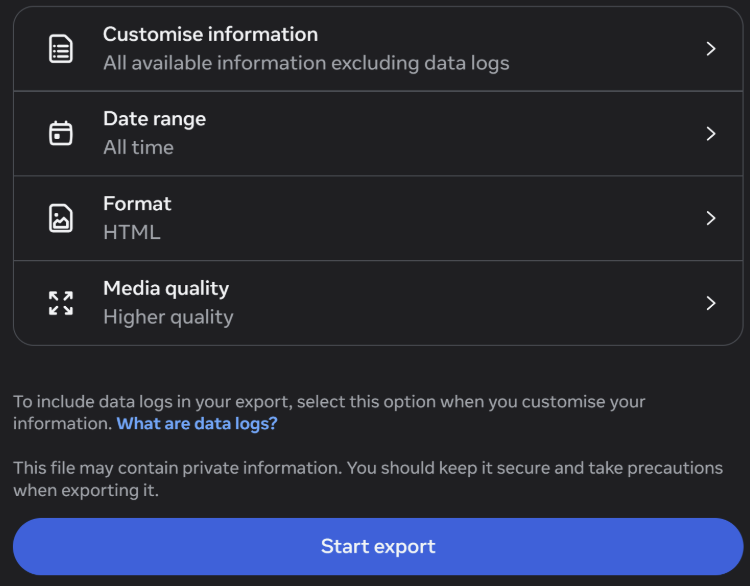
By default, Facebook only prepares data for the last year which is probably not good enough and you will want all your pictures.
Step 4 - Customise Information
The first option on the list above allows you to customise, from a long list, what will be included in your download. You can choose to download everything or for a smaller download size, you can choose to try to just get your photos.
The options you get are subject to change (there used to be a Photos option) but photos now appear to be bundled within Posts

Step 5 - When your data is ready
You now need to wait until the download is prepared which can vary considerably.
When it is ready, you can find your albums and photos within a zip file under the following location:
If you've asked Facebook to upload your data to Dropbox, it will arrive as a large zip file. The data within this will need to be extracted before it can be consumed by pic.ie.
Now you can upload those images into one of the services compatible with pic.ie such as OneDrive, Dropbox or an iCloud or Google Photo Album.